

Trial
¥0incl. tax
14 days
- 15 credits (once)
- No card needed
- 1 site (Hanasite address and badge)
Tell us about your shop in your own words. AI turns it into a draft of your website.
Check the preview, then publish it yourself. Later changes? Just say them.
Free for 14 daysNo card needed
Made for
How it works
Nothing complicated. Three steps to your shop's website.
Talk
What you do, what's popular, your hours and where you are — by voice, in writing or on LINE.
Send photos or a menu too, if you have them. Not sure what to say? Just answer the AI's questions.
Check the draft
What AI makes first is a draft. Look at the preview and say “calmer colours, please” or “use this photo” — it's fixed right there.
Publish & update
Once prices, hours and contact details are right, press “Publish”. AI never publishes on its own.
Afterwards, say “we'll be closed next Wednesday” and the page is updated.
LINE · voice · text
Whenever you have a moment, in whatever way is easiest. It all ends up on the same website.
Add Hanasite's official account as a friend to create, update and publish from the chat. New enquiries are announced on LINE too.
Samples
From cafés to professional offices — the structure and mood follow the business. Each one was made with Hanasite.

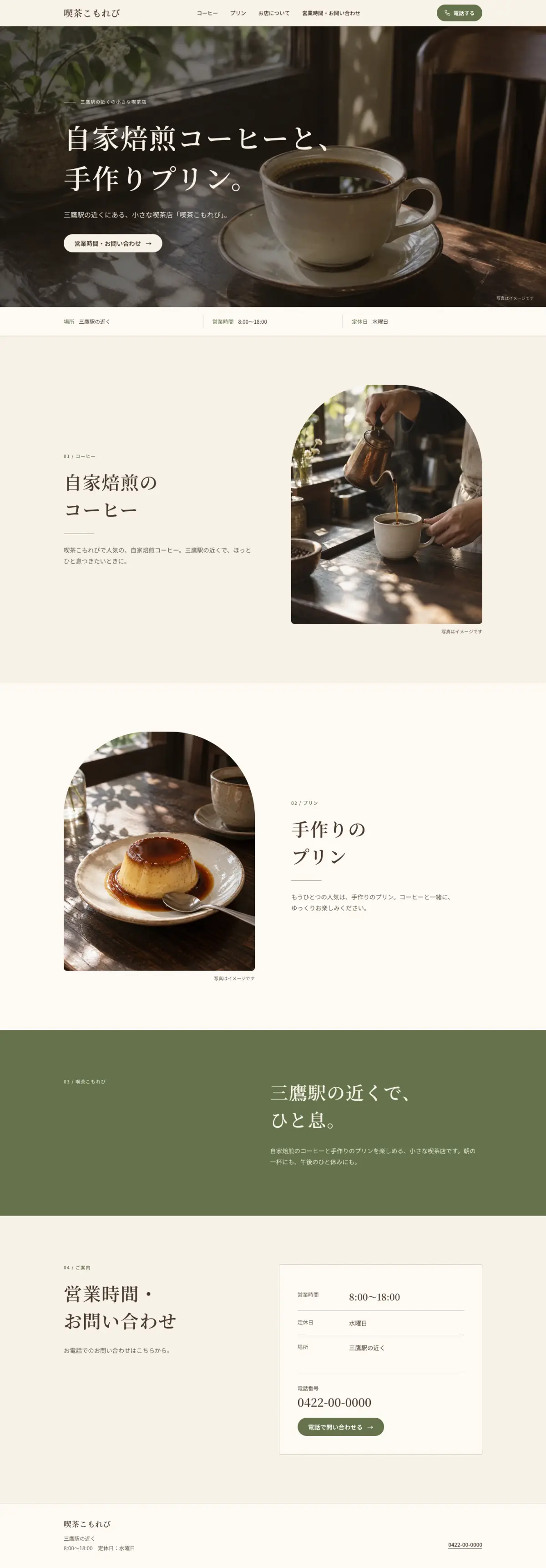
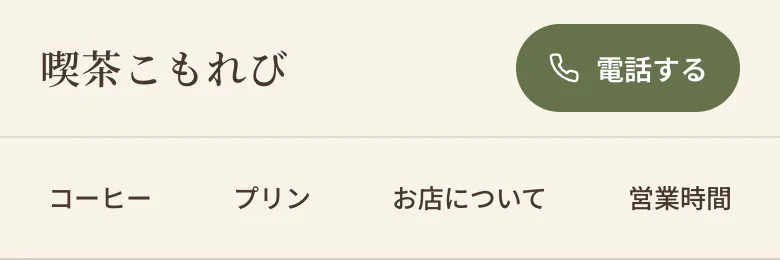

喫茶こもれびCafé · Mitaka
House-roasted coffee and homemade pudding, with hours and closing days easy to find.
Samples made with Hanasite (fictional shops)
Features
While you build it and after it's live — a tool that stays out of the way of running your shop.
AI makes a draft. Check it in the preview, then publish it yourself.
New hours or a closing-day notice — just say it and the site is updated.
Every page reads well on phones and tablets.
Connect a domain you own (e.g. my-cafe.jp). Included in the Standard plan.
Messages from your forms are collected in one inbox.
Get new enquiries and publishing updates on LINE and by e-mail.
Add English pages too, so visitors from abroad understand.

Send the photos or menu you have — AI reads them and puts them on the page.
Pricing
All prices include tax. Try it free for 14 days first.
¥0incl. tax
14 days
¥3,980incl. taxper month
¥44,700incl. tax
one-time
From year two it renews automatically at ¥3,980 a month (incl. tax).
Apply¥33,000incl. tax
one-time
Credits pay for AI building, edits and voice sessions. When they run out, we never charge you automatically.
Questions
Anything else? Feel free to get in touch.
Yes. Start by telling us about your shop or service. If you're unsure what to write, just answer the AI's questions as you go.
Yes, you can do everything by typing. Speaking needs a device with a microphone.
You can start with what you have. Before publishing, check that you may use the photos and that the text and prices are correct.
No. You review the draft first and publish it yourself. AI can make mistakes, so always check opening hours, prices and service details.
Yes. Say “change the opening hours” or “swap in this photo” and the site is updated. Building and edits use credits.
Yes. Add Hanasite's official account as a friend to create, update and publish from the chat. New enquiries are announced on LINE too.
Credits pay for AI building, edits and voice sessions. The trial includes 15 credits and Standard 60 a month. When they run out, we never charge you automatically.
Yes, the Standard plan connects your own domain. Without one, you can publish on a Hanasite address.
Yes. The AI support answers 24 hours a day in the Studio and on LINE. To reach a person, e-mail us — we reply within 2 business days as a rule.
Hanasite makes websites that introduce your shop or service. For bookings, the site can point visitors to LINE or the booking service you use.
By credit card. Before you order, a confirmation screen shows the total, when it renews and how to cancel.
Not at the moment. We'll let you know when we can.